


5 mins read
|
06-30-2026
8 Reasons Why Your Magento Website Needs a Store Locator
Summer Nguyen
|
03-17-2025


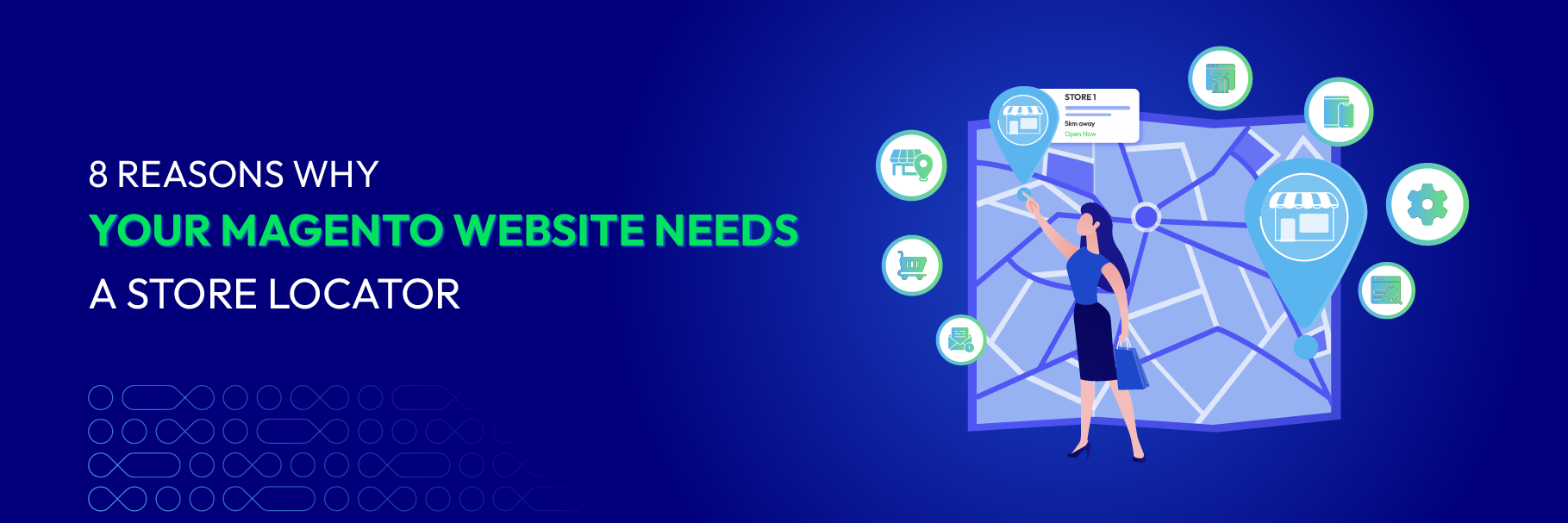
Your customer has already done the hard part. They found your website, browsed your catalog, and decided they want to buy. But they do not know which store to visit, whether the product is available nearby, or how to get there without leaving your website.
That moment — when buying intent exists but the path forward is unclear — is where most businesses lose customers they should have kept.
For Magento merchants with physical stores, showrooms, dealers, or pickup points, store locator is one of the most practical ways to turn online traffic into real-world sales.
What is a Store Locator and Who Needs It?
A Store Locator is a website feature that helps customers find nearby physical locations, such as stores, showrooms, dealers, service centers, or pickup points.
Instead of leaving your website to search manually on Google Maps, customers can search by address, city, ZIP code, or store name, view locations on a map, check the address, phone number, and opening hours, and get directions to the most suitable location.
For Magento websites, a Store Locator connects online visitors with offline actions, improves customer experience, supports local SEO, and makes store data easier to manage.
This feature is especially useful for:
-
Retail chains with multiple stores — fashion, cosmetics, electronics, furniture, accessories, or sports goods
-
Brands with showrooms where customers can view, experience, and receive direct consultation before buying
-
Businesses with dealer or distributor networks that need to display official selling points on their website
-
Websites that support Store Pickup or Click-and-Collect, allowing customers to order online and pick up at the nearest store
-
Merchants with service centers or warranty points, helping customers find convenient after-sales support locations
Why does your Magento 2 website need a Store Locator and What to look for
A Store Locator is not just a convenience feature. It directly supports sales, customer experience, local visibility, and backend operations. Below are the key reasons to add one to your Magento 2 website.
1. Help customers find the nearest store faster
Customers do not want to browse a long list of addresses or leave your website to search manually. When they are ready to visit a store, they expect a fast and simple way to find the nearest location.
A Store Locator removes this friction. Instead of making customers guess which branch is closest, your website can show relevant locations based on their current position or the area they enter. This is especially useful for mobile users who are already on the move.
Key features your store needs:
- GeoIP detection to show nearby stores automatically
- Search by city, street, ZIP code, or store name
- Google Maps integration and directions
💡 Tip: Along with finding the store, let Store Switcher automatically display the correct website version (language/currency) matching the customer’s region right from the first step.
2. Turn online traffic into offline sales
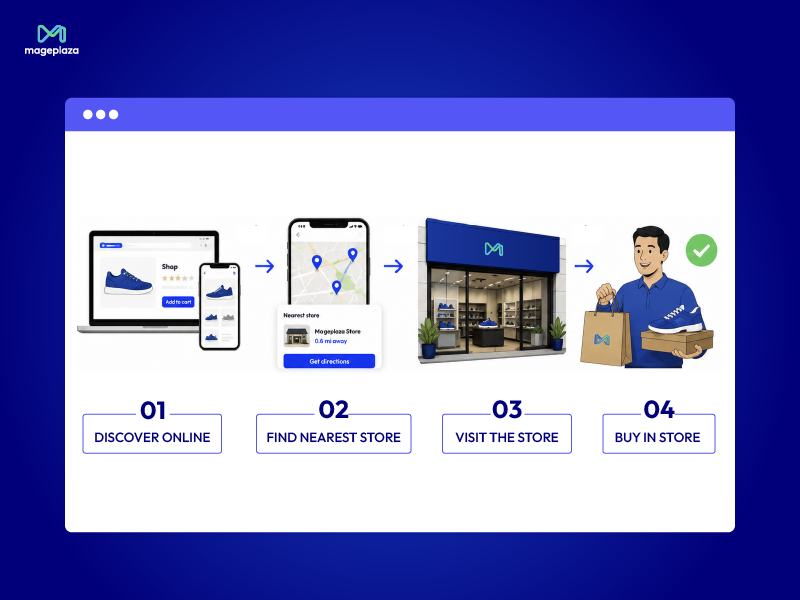
Many customers research products online before buying offline. They may want to see the product in person, ask staff for advice, or get the item immediately instead of waiting for delivery.
Without a store finder on your website, that purchase intent can be wasted. A customer may like a product but still leave because they do not know where to buy it nearby.
A Magento 2 Store Locator connects product discovery with store visits. When customers know which store is near them and whether the product is available there, they have a clearer path from online browsing to offline purchase.
Key features your store needs:
- Product availability by store
- “Find a store” option on product pages
- Store detail pages with address, contact information, and opening hours
3. Reduce repetitive support requests
Many customer support questions are simple but repeated often:
- “Where is your nearest store?”
- “What time does this branch open?”
- “Is this store open today?”
- “Can I pick up my order there?”
If customers cannot find this information on your website, they will contact your support team. Over time, these repeated questions can take up a lot of time.
A Store Locator allows customers to find answers by themselves. Each store page can display essential information such as address, phone number, email, working hours, holiday schedule, and current open or closed status.
Key features your store needs:
- Dedicated information page for each location
- Working hours and holiday schedule configuration
- Automatic open/closed status
💡 Tip: Combine Store Locator with the FAQ module to quickly link frequently asked questions, helping customers self-lookup and reducing the workload for the support team.
4. Improve the store pickup experience
Store Pickup has become a popular option for customers who want more flexibility. Some want to avoid shipping fees. Some need the product quickly. Others prefer ordering online but collecting from a store they trust.
Your store needs to make the pickup experience easy to use. Customers should be able to choose a pickup location during checkout, select a suitable date and time, and complete the order without leaving your website.
Instead of treating stores only as offline sales points, you can turn them into fulfillment locations.
Key features your store needs:
- In-store pickup during checkout
- Pickup date and time selection
- Pickup preparation time setup
To see how it works in practice, you can read this guide on how to locate stores and configure Store Pickup in Magento 2.
5. Build trust with a visible store network
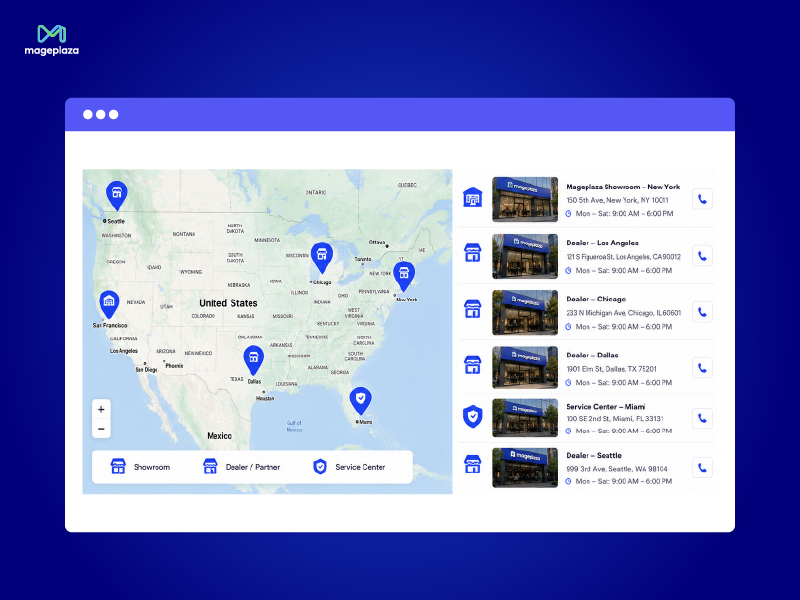
A clearly visible store network can make your business appear more reliable. Instead of simply saying that you have multiple branches, showrooms, dealers, or pickup points, you can display them directly on a map.
This is useful for many business types, especially retail chains, brands with authorized dealers, businesses with showrooms, or companies with service centers.
When customers see your physical presence, they may feel more confident buying from you. Store images, clear location details, and custom markers also make the experience feel more professional.
Key features your store needs:
- Unlimited store locations
- Custom map markers for different location types
- Store images or gallery
6. Support local SEO
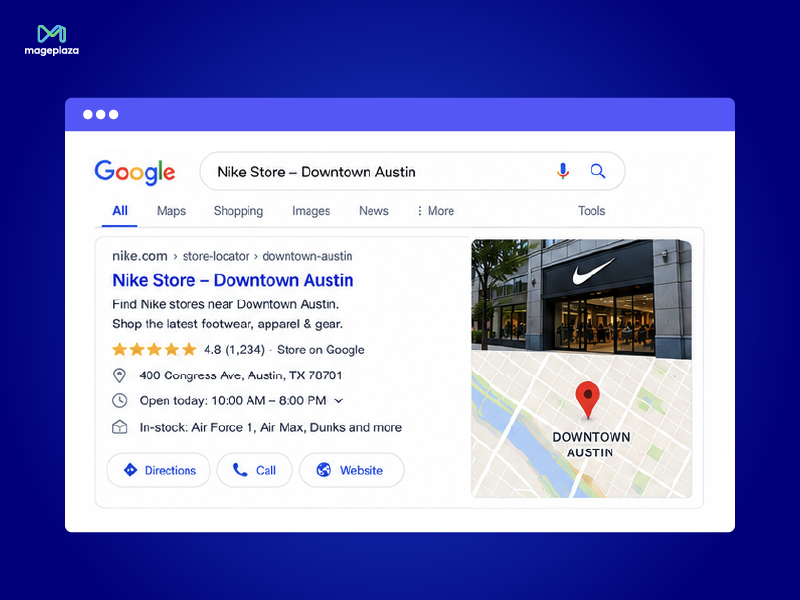
Local search is important for any business with physical locations. Customers often search for terms like “store near me,” “showroom in [city],” or “where to buy [product] near me.”
If your website does not have well-structured location pages, search engines may not fully understand where your business operates. As a result, your stores may miss valuable local traffic.
Magento 2 Store Locator can support local SEO by creating dedicated pages for each location. Each page can include the address, opening hours, localized content, and custom metadata. This helps search engines index your store information more clearly.
Key features your store needs:
- SEO-friendly store pages
- Custom meta title and meta description for each store
- Location-specific content
7. Manage store data more efficiently
As your store network grows, managing location data becomes harder. Addresses may change, phone numbers may be updated, new branches may open, and holiday schedules may vary by location.
If store data is managed manually across different pages or files, mistakes can happen easily. A wrong address or outdated opening hour can create a poor customer experience and reduce trust.
The right solution for Magento helps centralize store management in the backend. Admins can update location data from one place and keep frontend information consistent. Bulk import and export also make it easier to manage large store networks.
Key features your store needs:
- Store management via backend grid
- Bulk import/export
- Automatic GPS coordinate fetching from addresses
8. Create a better omnichannel journey
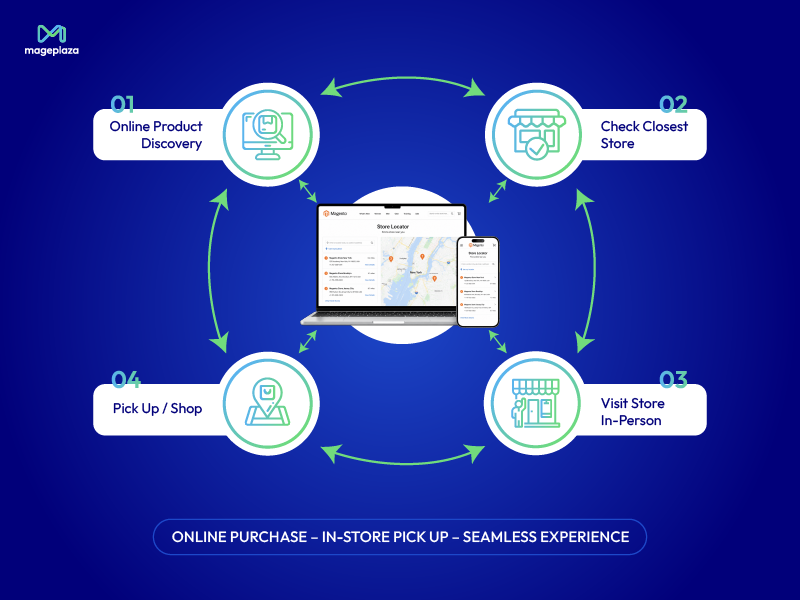
Customers do not always follow a straight path from website visit to online checkout. They may view a product online, check availability at the nearest store, visit the store, ask staff questions, and complete the purchase offline. Or they may order online and pick up the item later.
A Magento 2 Store Locator connects these touchpoints. It turns your Magento website into a bridge between online discovery and offline action.
This is especially important for businesses that operate both eCommerce and physical stores. With the right Store Locator setup, customers can move between online and offline channels without feeling disconnected.
Key features your store needs:
- Product availability on product pages
- Store Pickup during checkout
- Responsive design for mobile and desktop
After seeing how a Store Locator can support many aspects of a Magento website, the next question is: where should merchants start if they want to develop this feature?
Looking for a Store Locator Solution for Magento 2?
If you want a solution that balances store search, product display by location, Store Pickup support, and easy data management, Mageplaza Store Locator for Magento 2 is worth considering.
You can also read this comparison of Mageplaza Store Locator for Magento 2 with other solutions to better understand why this extension is suitable for many Magento merchants.
To start making use of your offline locations, refer to this guide on configuring Store Locator and Store Pickup in Magento 2.
FAQs About Store Locator for Magento Websites
Is Store Locator only useful for retail stores?
- No. Store Locator is useful for any Magento merchant with physical locations or offline service points. This includes retail chains, showrooms, service centers, dealer networks, distributors, and pickup points.
Can Store Locator support local SEO?
- Yes. Store Locator can support local SEO when each store has its own optimized page with address details, opening hours, localized content, and metadata. This helps search engines better understand your business locations.
What is the difference between Store Locator and Store Pickup?
- Store Locator helps customers find physical locations. Store Pickup allows customers to place an order online and collect it from a selected store. When combined, these two features create a stronger omnichannel shopping experience.
Does a Magento website need a separate extension for Store Locator?
- Magento does not provide a full Store Locator experience by default. If you need Google Maps integration, GeoIP detection, product availability by store, SEO-friendly store pages, or pickup support, a dedicated extension is usually a better option.
Can customers check product availability by location?
- Yes, with the right Store Locator solution, customers can check which store has the product available before visiting. This helps reduce unnecessary trips and increases the chance of in-store purchase.
Conclusion
Store Locator is more than a map with addresses. For Magento websites, this feature can improve customer experience, increase store visits, reduce repetitive support requests, support Store Pickup, improve local SEO, and make location management easier.
If your business has physical stores, showrooms, dealers, service centers, or pickup points, adding a Store Locator helps customers take the next step with confidence. It keeps them on your website, gives them the information they need, and connects online product discovery with offline sales opportunities.
For Magento 2 merchants, Mageplaza Store Locator for Magento 2 provides the essential features needed to build this experience, from location search and Google Maps directions to product availability and in-store pickup.
Table of content

Summer is the CMO and Digital Commerce Solution Expert with 10+ years of experience. She specializes in Magento, Shopify, ERP, CRM, AI, and Blockchain, delivering strategic solutions that transform businesses. With a deep understanding of digital commerce, she helps brands scale and stay ahead in a competitive market.
Related Post


How to Enable DebugView in GA4 for your Magento 2 store - Mageplaza
Step-by-step guide to enabling GA4 DebugView for Magento 2 merchants — verify your GA4 events are firing correctly before trusting your data.
8 mins read
|
06-09-2026
Table Rate Shipping in eCommerce: A Practical Guide
Master Magento 2 Table Rate Shipping. Learn how to configure an accurate, automated shipping matrix to optimize your checkout and boost sales.
10 mins read
|
06-02-2026
3 mins read
|
05-30-2026

Google Analytics Ecommerce Reports for Magento Merchants: What to track & Tips
A practical guide to GA4 ecommerce reports for Magento merchants, covering what to track, how to read each report, and specific tips to turn data into revenue decisions.
18 mins read
|
05-20-2026

5 Ways to Hide Products on Shopify (2026 Guide)
Explore the best 5 ways to hide products on Shopify. Learn how to manage visibility, protect pricing, and create a tailored shopping experience for buyers.
18 mins read
|
05-16-2026
5 mins read
|
06-30-2026
How to Enable DebugView in GA4 for your Magento 2 store - Mageplaza
Step-by-step guide to enabling GA4 DebugView for Magento 2 merchants — verify your GA4 events are firing correctly before trusting your data.
8 mins read
|
06-09-2026
Table Rate Shipping in eCommerce: A Practical Guide
Master Magento 2 Table Rate Shipping. Learn how to configure an accurate, automated shipping matrix to optimize your checkout and boost sales.
10 mins read
|
06-02-2026
3 mins read
|
05-30-2026
Google Analytics Ecommerce Reports for Magento Merchants: What to track & Tips
A practical guide to GA4 ecommerce reports for Magento merchants, covering what to track, how to read each report, and specific tips to turn data into revenue decisions.
18 mins read
|
05-20-2026
5 Ways to Hide Products on Shopify (2026 Guide)
Explore the best 5 ways to hide products on Shopify. Learn how to manage visibility, protect pricing, and create a tailored shopping experience for buyers.
18 mins read
|
05-16-2026